Zippy
Work, home, and getting up from the desk.
After working from home for a few years, my home life and work life started to merge. I was sitting in meetings and working all day glued to the computer, and the personal list never got touched. Zippy is what keeps me grounded: work and personal to-dos on separate boards, chores on a week, a timer that shuts the distractions off and gets me up and moving around the house, and the day's meetings down the right-hand side. It has since grown a Culture tab for planning date nights and excursions around San Francisco.
Work and personal to-dos
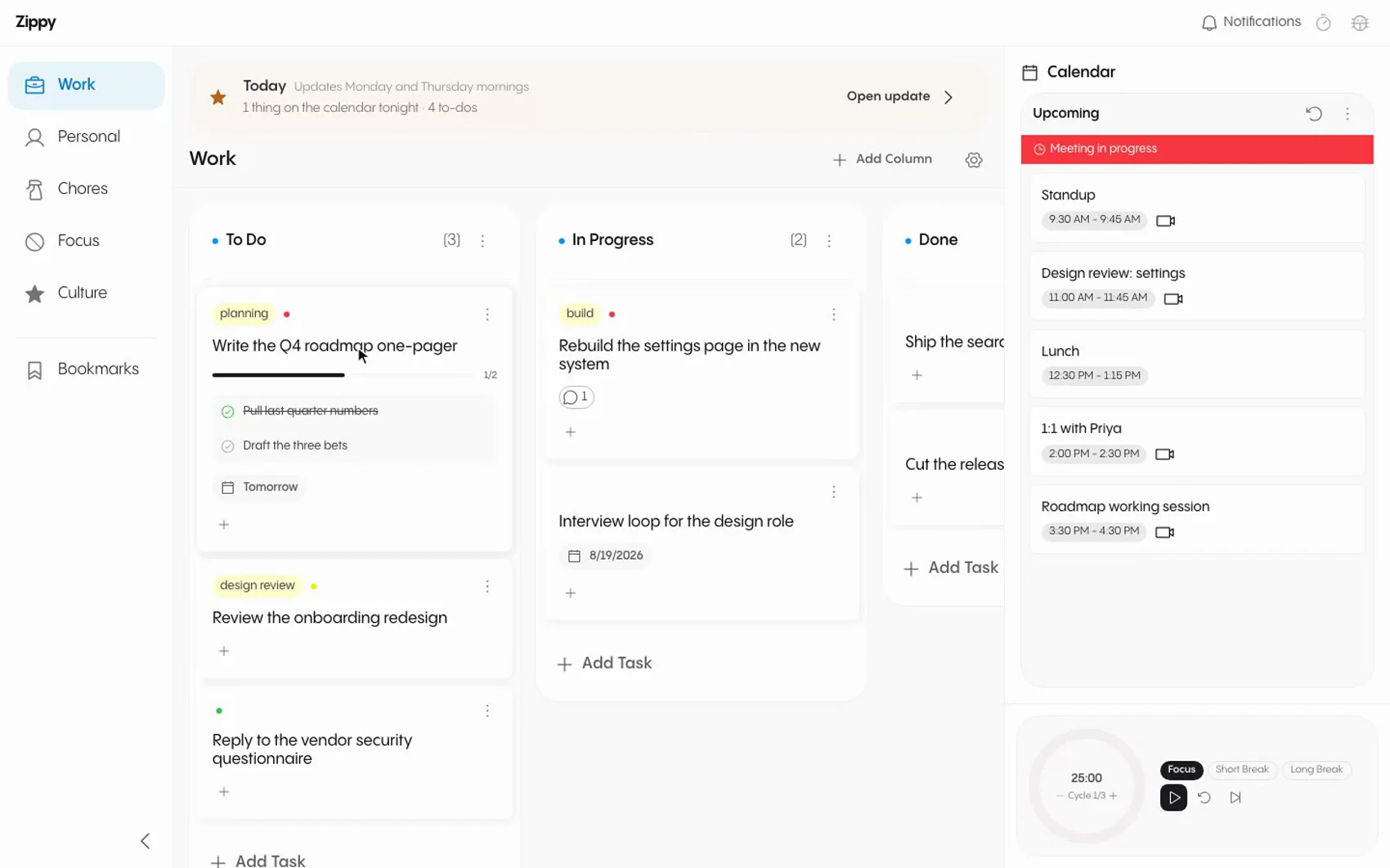
Two boards, kept apart on purpose, so a Tuesday standup task is not sitting next to renewing the car registration. Each card holds subtasks with their own progress bar, comments for the reason something is stuck, tags, a priority dot, and a due date. Dragging a card between columns is the whole interaction.
Chores for the day and the week
The part that gets me out of the chair. Chores are set by how often they actually come around: every day, certain weekdays, every other week, a given week of the month, or once a week wherever you want to drop it. The week grid places them, counts what is done per day, and lets you drag one to a different day when the week does not go to plan, so a ten minute break is spent on something around the house instead of another tab.
Focus timers and Pomodoro
The timer runs focus and break intervals in cycles of three, so the breaks are scheduled rather than whenever I notice I need one. Arming it hands the blocklist to a helper daemon, which shuts off the named apps, the sites, and even the terminal commands you reach for out of habit. Breaks unlock everything, and anything you tried to open during a work interval gets logged so you can see where the pull actually is.
Your schedule, from Google Calendar
Today and tomorrow sit in the right-hand panel with the Meet link on the row, so joining is one click from wherever you are in the app. A meeting in progress turns the top of the panel red, and reminders sound at ten minutes, five minutes, and one minute, each on a different note. If you need longer, snooze it.
Culture, for things to do around the city
The half of the day that is not work. Twice a week Zippy pulls together what is happening around San Francisco, the shows and events worth booking ahead and the museums running something new, and puts it in a Culture tab with the highlights on the Today screen. It exists so date nights and weekend excursions get planned during the week, instead of worked out on a Saturday morning.
The iPhone home screen widget
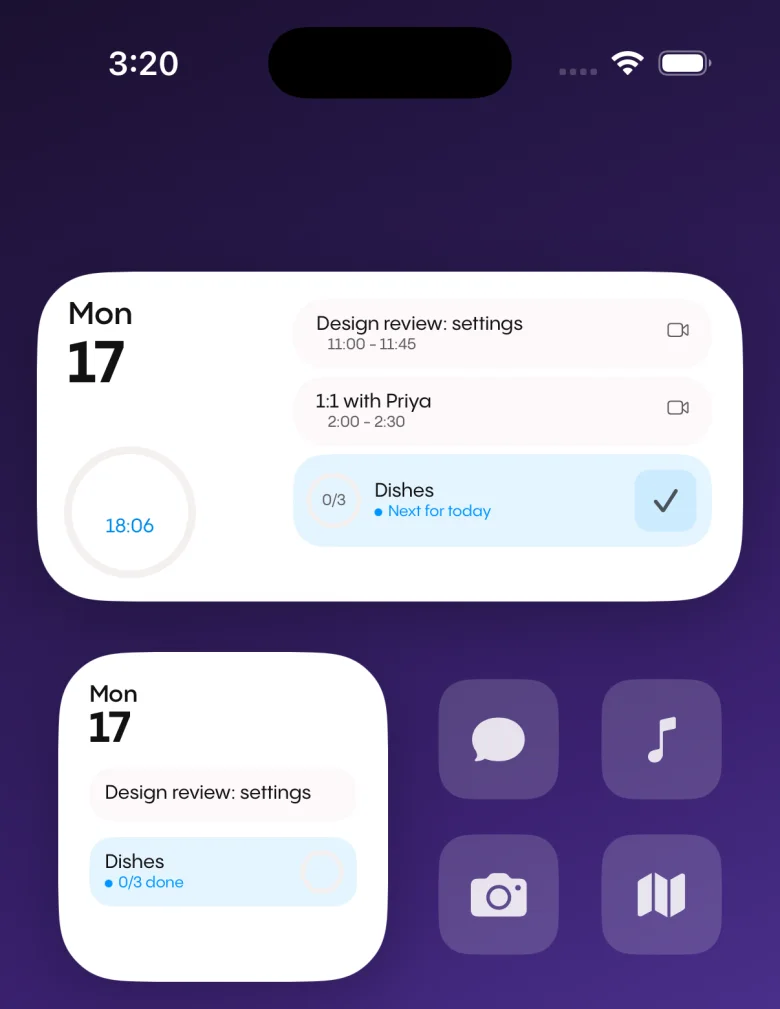
The three things worth seeing without unlocking anything: the date, the next meetings with their join buttons, and the next chore. The Pomodoro countdown runs in the ring on the left, so a session started at the desk keeps ticking in your pocket. Tapping the check marks the chore done from the home screen, and the app picks the change up next time it syncs.